Blog
Delay analysis methods, Primavera P6 tips and practical IT advice from our team.
Methods, standards and guidance for proving and defending delay.
Delay analysis14 min read
Every recognised method, from as-planned vs as-built to windows, TIA and collapsed as-built, and when to use each.
Tap a tip to open it. Filter by topic or search.
24 tips
Constraints and mixed calendars distort total float. Set critical activities to Longest Path in schedule options and compare.
Tick "Make open-ended activities critical" in schedule options so missing predecessors or successors stand out.
Keep at least 90% of links FS. Use SS and FF with lags sparingly and explain every lag.
Break activities over 44 working days into measurable pieces. Long activities hide delay.
Use Start On or After instead of Mandatory constraints, which override logic and can create negative float.
Tick Log to file when you press F9. It lists open ends, out-of-sequence progress and constraints.
Run Tools > Store Period Performance after each update so earned value history is kept per period.
Retained Logic or Progress Override can move the critical path. Choose one, state it, and keep it consistent.
Filter for actual dates after the data date. One future actual undermines the whole update.
Actual start and finish dates are the evidence a delay analysis needs later.
Tools > Claim Digger lists added, deleted and changed activities, logic and durations since last month.
Assign roles early and swap in named resources later, so you can plan before the team is hired.
Resource curves model front- or back-loaded effort instead of a flat spread.
Open the Resource Usage Profile to see over-allocation before you let levelling move work.
Duration type decides what P6 recalculates when units or resources change. Set it before loading resources.
Tools > Recalculate Assignment Costs updates assignments when resource rates change.
Save layouts as user, project or global so the whole team reports the same way.
Group & Sort by WBS plus a responsibility code gives owners a clear, filterable report.
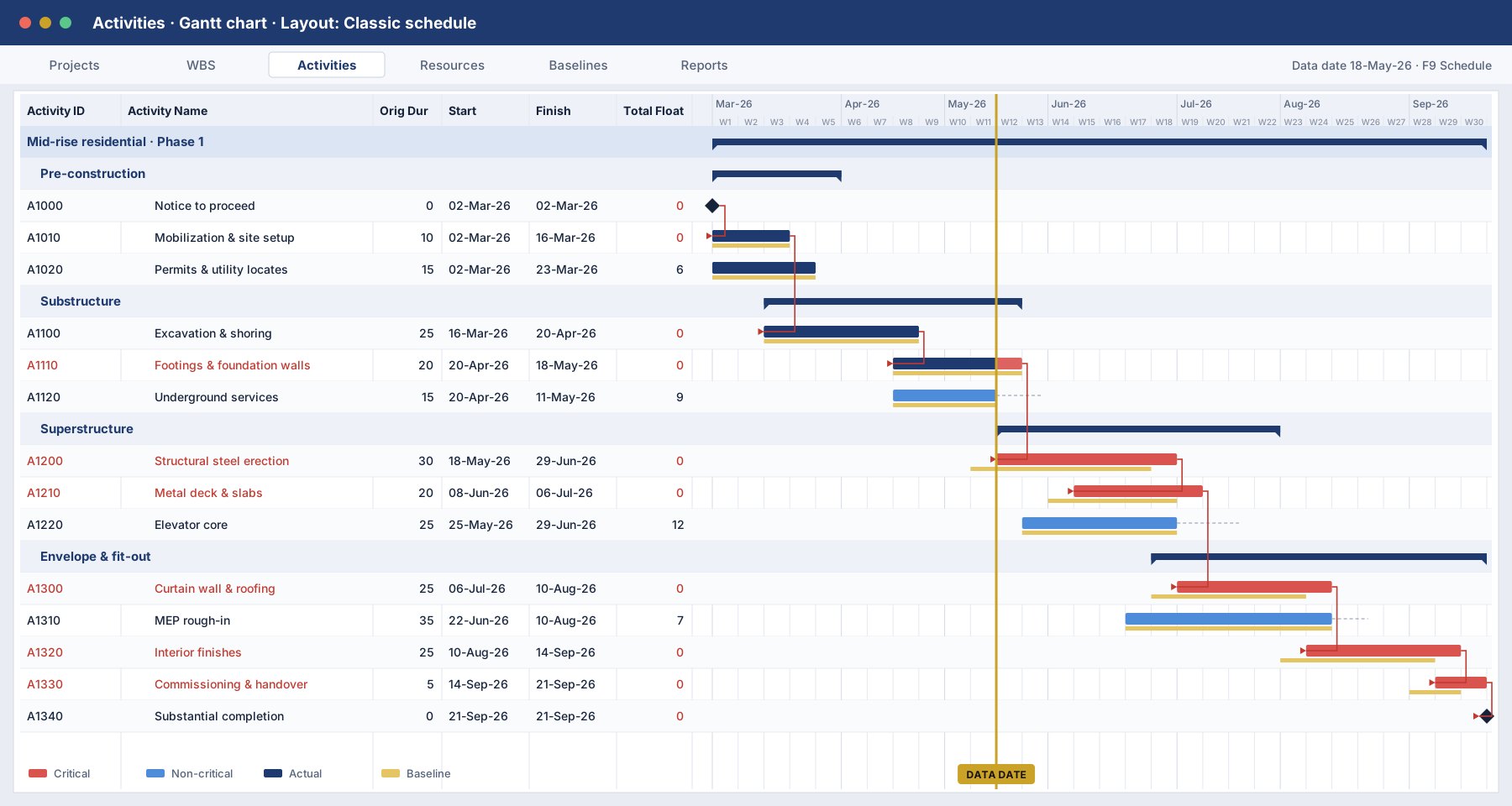
Add the Project Baseline bar in Bars so slippage is visible at a glance.
Use Spotlight to highlight work due between now and the next update.
Export an XER before big edits. Global Change previews results before you commit them.
Global activity codes work across every project, so programme reports stay consistent.
A user-defined field marking delay events now saves days of forensic work later.
Save each submitted update via Project > Maintain Baselines for a clean history.
P6 tips & tricks5 min read
A 20-minute checklist that catches most of what an owner’s scheduler will flag.
Training and advice to keep your team and data safe.
IT & cybersecurity3 min read
Five short courses on the threats staff actually face, each with a quiz and a certificate.
Primavera P6 Basic (4 weeks) and Advanced (6 weeks) cover every tip here, hands-on.